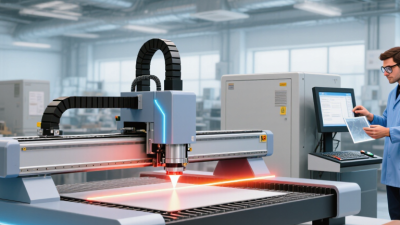
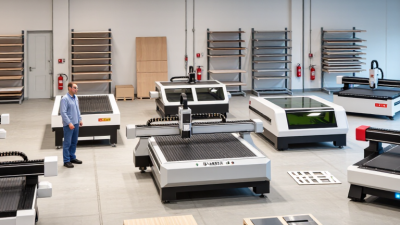
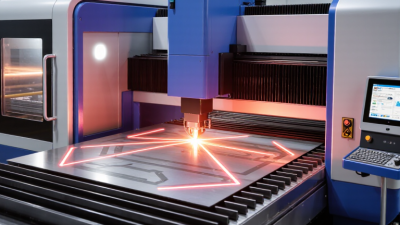
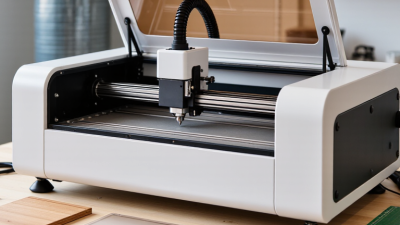
Choosing the right laser cutter engraver is less about chasing maximum power. It is about matching the machine to real materials, production goals, and user skill.
Industry forecasts show strong market growth. Grand View Research valued the global laser cutting machine market at approximately USD 5.88 billion in 2023. It expects an 8% compound annual growth rate from 2024 to 2030. Fortune Business Insights reports different figures, estimating USD 6.83 billion in 2023. These differences reflect varying definitions and research methods. They also show one important truth: buyers need careful comparisons, not attractive numbers alone.
Neil Gershenfeld, director of MIT’s Center for Bits and Atoms, popularized the maker principle, “How to make almost anything.” That idea sounds powerful, but it needs practical limits. A diode laser may handle wood, leather, and coated surfaces effectively. A CO2 system usually suits acrylic and thicker organic materials better. Fiber machines are designed for many metals. Cutting speed, working area, ventilation, software, maintenance, and safety features matter just as much.
The best laser cutter engraver is rarely the most expensive model. It is the one that fits your daily workflow. A small workshop may value quiet operation and simple setup. A production team may prioritize uptime, autofocus, and technical support. Some specifications remain difficult to compare honestly. Real samples often reveal more than polished brochures. This guide examines those details, including overlooked trade-offs that can make an impressive machine frustrating to use.
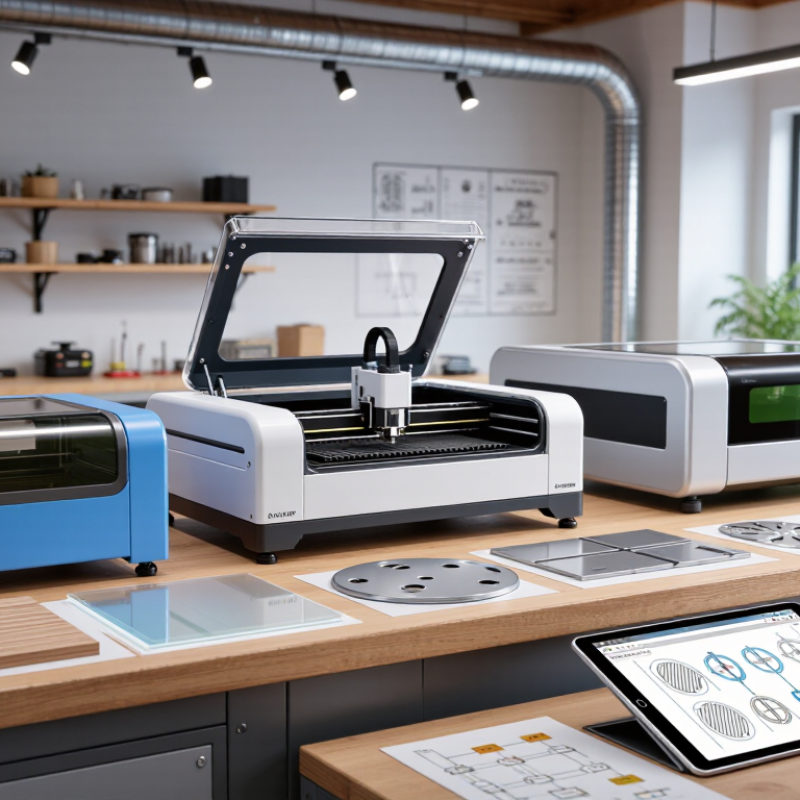
Choosing a laser cutter engraver starts with the work, not the machine. Write down the materials you actually use. Include wood, acrylic, fabric, paper, or coated metal. Material thickness matters more than a product’s headline power. A 3 mm plywood project differs greatly from repeated 12 mm cuts. Measure your largest design before comparing bed sizes. A cramped work area creates awkward repositioning and alignment errors. I learned this after splitting a sign into several passes. It looked efficient on paper. It was not.
Define the finish you need. Cutting requires clean edges and dependable penetration, while engraving depends on detail, contrast, and controlled heat. For tiny lettering, ask whether the machine can hold consistent focus across the working area. For photographs, check grayscale control and practical resolution, not only advertised figures. Make test grids with several speeds and power levels. Record smoke marks, edge charring, and depth. These small records are more useful than guesswork. Still, test results can vary with humidity, material density, and surface coatings.
Estimate your weekly workload and acceptable waiting time. A hobby user may value flexibility, while a small workshop may need repeatable settings and stable cooling. Consider ventilation, noise, footprint, maintenance access, and electrical requirements before purchase. Confirm that the control software supports your file types and offers clear parameter adjustments. Safety features deserve direct inspection, including enclosure quality, emergency stopping, and fire monitoring. I once underestimated ventilation space and had to redesign the workbench. A better checklist would have caught it.
Choosing a laser cutter engraver starts with matching the laser type to your materials. Diode lasers suit thin wood, cardboard, leather, and some coated surfaces. They usually cost less and consume less space. CO2 lasers handle acrylic, wood, rubber, and glass engraving more effectively. Fiber lasers are designed mainly for metal marking and detailed industrial work. They are not interchangeable.
Power matters, but higher wattage does not automatically create better results. A low-power diode laser can engrave photographs carefully, while a stronger model cuts thicker plywood with fewer passes. CO2 power should match the material thickness and expected production speed. Fiber systems need suitable settings for metal depth, contrast, and heat control. Test small. Material density, moisture, focus, and air assistance can change the result. I once treated advertised wattage as the main comparison point, and that made my selection too narrow.
Working area affects both convenience and machine stability. A larger bed fits signs, panels, and repeated batches without repositioning. However, it may require more floor space and careful frame alignment. A compact bed can deliver precise work for jewelry, labels, and small decorations. Leave room. You also need space for ventilation, safe loading, and maintenance access. Before buying, measure your typical projects, not your biggest imagined project. A machine that fits the workshop but cannot safely manage fumes is a poor practical choice. Verify enclosure design, emergency controls, and compatible materials before operation.
How to Choose the Best Laser Cutter Engraver?
Choosing the best laser cutter engraver starts with material compatibility, not advertised power. List the materials you use most often: plywood, acrylic, paper, fabric, or anodized metal. Then check the machine’s tested thickness range and compatible material list. Some plastics release hazardous fumes when heated, especially chlorine-containing sheets. Check the safety data. Verify coatings, adhesives, and fire behavior before cutting.
Cutting performance depends on more than wattage. A stable focus, even motion, effective ventilation, and strong air assist can produce cleaner edges. Look for adjustable speed and power, repeatable positioning, and a bed that supports materials flat. For thick plywood, compare passes, edge charring, and kerf width. A narrow kerf matters when parts must fit together. Test scraps first. Record settings for each material and thickness. Cutting claims may use ideal samples.
In practice, I once judged a machine by a fast paper cut and regretted it. The same setting scorched plywood and left acrylic edges rough. That mistake taught me to test small grids before starting a finished piece. Engraving also needs inspection under angled light; shallow marks can look excellent on screen but fade in use. Choose performance you can repeat, not one impressive demonstration. I still keep a scrap-test sheet beside the machine.
Compare typical practical cutting thickness by material and laser type. Actual results vary with power, speed, focus, air assist, material density, and the number of passes.
The values represent common workshop ranges for a 40W CO₂ laser and a 10W blue-diode laser. CO₂ lasers generally cut transparent acrylic and glass more effectively, while diode lasers are commonly used for thin wood, cardboard, and dark leather. Glass and stainless steel are primarily engraving or marking applications rather than standard cutting applications.
How to Choose the Best Laser Cutter Engraver?
Software often determines whether a capable machine feels simple or frustrating. Look for clean file importing, reliable layer controls, material presets, nesting, camera alignment, and a clear job preview. A useful interface should show power, speed, passes, and estimated time before cutting. In a workshop test, import a vector file, edit one layer, and recover an interrupted job. If that process feels confusing, daily production will become slower. Grand View Research estimates the global laser cutting machine market reached approximately USD 5.72 billion in 2023, with a projected 7.1% CAGR from 2024 to 2030. Growing demand makes software support and update policies more important.
Precision requires evidence, not impressive specifications. Cut a 100-millimeter square, engrave small text, and measure both parts with calipers. Check edge consistency at the center and corners. ISO 230-2 distinguishes positioning accuracy from repeatability, so ask manufacturers for both figures. Speed ratings can also mislead. Acceleration, corner control, and cooling affect real output more than top speed alone. Compare completed parts per hour, not just motion speed. Short tests help.
Ease of use includes cleaning, focusing, lens access, ventilation checks, and operator training. A machine that needs constant adjustment may waste more time than it saves. I still tend to overvalue speed. That is a mistake. A slightly slower system with dependable software and repeatable results may produce fewer rejected parts, although every material deserves its own test.
| Laser Category | Typical Laser Power | Common Compatible Materials | Typical Cutting Thickness | Engraving Precision | Typical Working Speed | Software Compatibility | Ease of Use | Best Use Case |
|---|---|---|---|---|---|---|---|---|
| Diode Laser | 5–20 W optical output | Wood, cardboard, paper, leather, coated metal, some dark acrylic | Approximately 3–12 mm wood in a single pass, depending on power and material | 4/5 Typically around 0.08–0.15 mm spot size |
Approximately 3,000–12,000 mm/min for engraving | Usually supports common vector and raster workflows, including SVG, DXF, PNG, JPG, and G-code-based control | 4/5 Lower setup complexity and operating cost |
Personalized wood products, crafts, small signs, and entry-level projects |
| CO₂ Laser | 40–100 W | Wood, acrylic, leather, rubber, fabric, paper, glass, and coated materials | Approximately 6–20 mm wood or acrylic, depending on power and machine design | 4/5 Often around 0.10–0.20 mm spot size |
Approximately 300–1,000 mm/s for engraving on suitable systems | Broad support for vector and raster files; advanced systems may offer camera alignment, layers, and parameter libraries | 3/5 Requires ventilation, focusing, alignment, and routine maintenance |
High-volume cutting, acrylic signage, wooden products, and workshop production |
| Fiber Laser | 20–50 W | Stainless steel, aluminum, brass, copper, titanium, and coated metals | Usually intended for marking; thin metal cutting is possible on selected higher-power systems | 5/5 Often approximately 0.02–0.08 mm marking detail |
Approximately 3,000–10,000 mm/s for metal marking | Strong support for vector artwork, hatch settings, QR codes, serial numbers, and parameter control | 3/5 Requires careful parameter testing and appropriate safety controls |
Permanent metal identification, jewelry marking, tools, and industrial traceability |
| UV Laser | 3–15 W | Plastics, glass, coated metals, electronics, acrylic, leather, and sensitive surfaces | Primarily used for surface marking rather than thick-material cutting | 5/5 Very fine marks with a small heat-affected area |
Approximately 1,000–5,000 mm/s for fine marking applications | Supports vector graphics, variable data, fine text, barcodes, and detailed parameter adjustment | 2/5 Higher equipment cost and more specialized process control |
Fine-detail marking on electronics, glass, plastics, and delicate products |
| Desktop Enclosed Laser | Typically 5–60 W, depending on laser type | Varies by laser source; commonly wood, acrylic, leather, paper, and coated materials | Approximately 3–15 mm for common desktop configurations | 4/5 Consistent results when autofocus and a rigid frame are provided |
Approximately 3,000–10,000 mm/min for engraving | Often includes a guided interface, camera positioning, presets, and support for SVG, PNG, JPG, and DXF | 5/5 Enclosure, interlocks, and guided workflows simplify operation |
Home studios, classrooms, small businesses, and compact workspaces |
Evaluation note: Performance figures are typical industry ranges rather than guaranteed specifications. Actual results depend on optical power, lens and focus quality, frame rigidity, material density, air assistance, software settings, ventilation, and operator experience.
Choosing a laser cutter engraver starts with safety, not cutting speed. Check the enclosure, door interlocks, emergency stop, flame detection, and exhaust path. The U.S. Occupational Safety and Health Administration identifies direct beams, reflections, fumes, and fire as core laser-work hazards. A useful test is simple: open the door during a low-power cycle. The machine should stop immediately. It should not merely pause.
Maintenance affects both output and ownership cost. Inspect lenses, mirrors, rails, filters, and cooling systems on a written schedule. Dust on a lens can create uneven edges and extra heat. The U.S. Department of Energy’s Operations & Maintenance Best Practices guide reports potential savings of 25–30% when predictive maintenance replaces reactive repairs. That figure is not guaranteed for every workshop. I would treat it as a planning reference, not a promise. Ask whether replacement parts are stocked locally, how quickly technicians respond, and whether support includes practical training.
Calculate total cost over three to five years. Include electricity, ventilation, consumables, software, calibration, labor, and downtime. The initial price can mislead. NFPA’s 2024 fire-loss report recorded about 1.39 million U.S. fires in 2023, although it was not specific to laser equipment. That broader figure still reinforces the value of cleaning, extraction, and fire controls. A machine that saves money but creates frequent stoppages is not truly economical. My own assessment would also leave room for error; maintenance time is often underestimated.
Please fill out this form and we will get an order or estimate ready for you. Please give us as much detail as you can for us to get started, and we will contact you to finsh the work order.