
How to Choose a Laser CNC Machine for Your Business
Choosing a laser CNC machine is a business decision, not merely a technology upgrade. The right system must match your materials, production volume, tolerances, floor space, and operator skills. A machine that cuts impressive samples may still underperform during an eight-hour production shift.
The market signals strong demand. Grand View Research reported that the global laser cutting machine market was valued at approximately USD 6.8 billion in 2023, with continued growth expected through 2030. Fortune Business Insights also identified automation, energy efficiency, and precision manufacturing as major growth drivers. These figures show opportunity, but they do not select a machine for your workshop.
Your decision should begin with real production details. Measure the thickest steel sheet you process, the smallest features you cut, and the average batch size. A 3 kW fiber laser may suit thin stainless steel, while thicker carbon steel can require greater power and a more capable assist-gas system. Cutting speed alone is not enough. Inspect edge quality, piercing time, lens replacement intervals, software compatibility, and service response times.
Small details matter.
Ask suppliers for test cuts using your actual material. Request operating costs, warranty conditions, training coverage, and documented uptime figures. ISO 230-2 provides a recognized framework for testing machine-tool positioning accuracy, although not every vendor presents results in an equally useful format. That is where buyers must remain skeptical. Promotional claims can hide maintenance delays or expensive consumables. A lower purchase price may become costly after twelve months.
This guide explains how to compare laser CNC options with practical criteria, reliable industry evidence, and realistic financial checks. No checklist fits every business. Your production data must lead the decision.
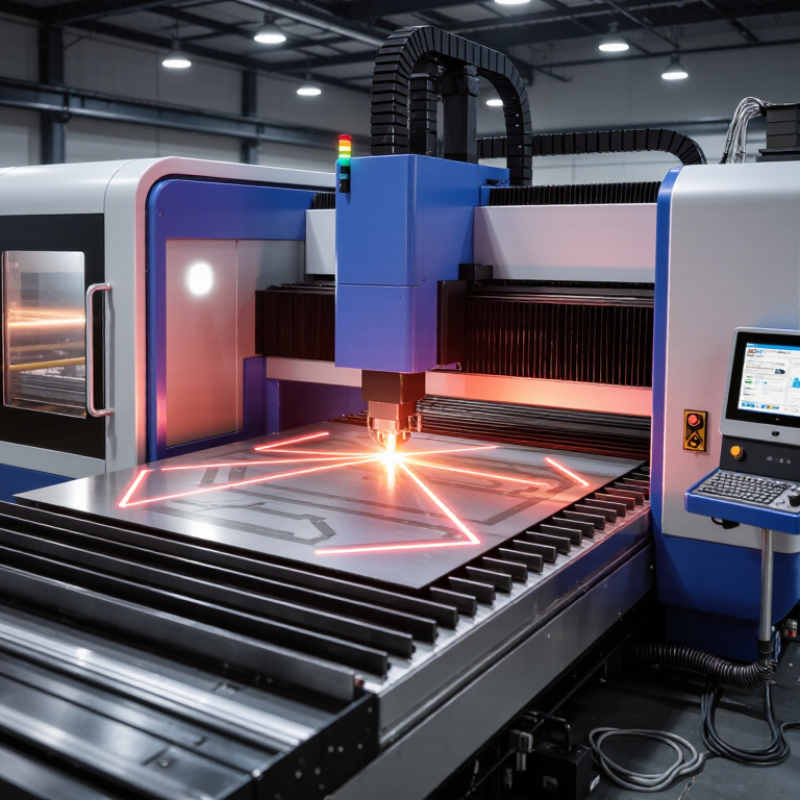
Define Your Business Needs and Laser CNC Production Goals
Choosing a laser CNC machine should begin with your workshop’s actual work, not a glossy specification sheet. Define your materials, thicknesses, part sizes, daily volume, and acceptable tolerances. A small fabrication shop cutting 3 mm steel needs different capacity from a sign maker processing acrylic and plywood. Record one typical week: jobs, sheet changes, failed cuts, and waiting time. This practical audit often reveals the real bottleneck. It may feel slow, but it prevents expensive assumptions.
Turn these findings into measurable production goals. Set target parts per hour, maximum setup time, cutting tolerance, and monthly utilization. Include ventilation, floor space, electrical supply, operator training, and maintenance access. Decide whether the machine must cut, engrave, or perform both tasks regularly. Review sample drawings with a qualified technician and request test cuts using your actual materials. Online demonstrations can look perfect. Your material may behave differently. Leave room for uncertainty, especially when future orders are not guaranteed.
Tips: Build a simple cost-per-part worksheet before purchasing. Include consumables, power, labor, servicing, scrap, and downtime. Compare the result with your current method and realistic order forecasts. Do not choose maximum power automatically; extra capacity may raise costs without improving your products. Recheck the decision after a week of production planning. A spreadsheet can expose weak goals better than enthusiasm.
How to Choose a Laser CNC Machine for Your Business – Define Your Business Needs and Laser CNC Production Goals
| Business Need | Typical Materials | Recommended Laser Type | Practical Working Area | Typical Material Thickness | Production Goal | Key Selection Criteria |
|---|---|---|---|---|---|---|
| Custom signage and displays | Acrylic, plywood, MDF, cardboard, coated metals | CO₂ laser for non-metals; fiber laser for bare metal marking | 900 × 600 mm to 1300 × 900 mm | Non-metals up to approximately 10–20 mm, depending on material and power | Fast changeovers and clean edges for short custom orders | Autofocus, honeycomb or knife bed, exhaust filtration, simple CAD/CAM workflow |
| Sheet-metal fabrication | Mild steel, stainless steel, aluminum, galvanized sheet | Fiber laser | 1500 × 3000 mm for standard sheet production | Approximately 1–12 mm, determined by laser power, material, and required cut quality | High throughput with repeatable dimensional accuracy | Laser power, cutting head, assist-gas control, nesting software, pallet changer, service access |
| Small-batch product manufacturing | Stainless steel, carbon steel, aluminum, brass, plastics | Fiber laser with cutting and marking capability | 1000 × 2000 mm to 1500 × 3000 mm | Thin to medium sheet and plate, commonly 0.5–10 mm | Flexible production across multiple part designs | Quick recipe changes, automatic nesting, low kerf compensation error, dependable software compatibility |
| Decorative and interior components | Wood, veneer, acrylic, leather, fabric, foam | CO₂ laser | 900 × 600 mm to 1600 × 1000 mm | Commonly 1–15 mm, depending on the material and cutting speed | Consistent engraving detail and low material waste | Appropriate ventilation, rotary attachment if needed, camera alignment, material presets |
| Metal identification and traceability | Stainless steel, aluminum, anodized aluminum, tools and components | Fiber marking laser | 110 × 110 mm to 300 × 300 mm marking field | Surface marking rather than through-cutting | Permanent codes with short cycle times | Marking speed, contrast, barcode readability, rotary axis, enclosure and safety interlocks |
| Prototype development and education | Cardboard, acrylic, plywood, thin plastics, light-gauge metals | CO₂ laser for non-metals; compact fiber laser for metal work | 600 × 400 mm to 900 × 600 mm | Thin materials, generally below 6–10 mm | Low setup cost and rapid design iteration | Compact footprint, safe enclosure, intuitive controls, low-power requirements, accessible maintenance |
| High-volume contract production | Carbon steel, stainless steel, aluminum and mixed sheet formats | High-power fiber laser with automated material handling | 1500 × 3000 mm or larger | Thin to thick plate, based on the required material mix and power level | Maximum machine utilization and predictable delivery schedules | Automation, uptime, loading speed, nesting efficiency, remote diagnostics, spare-parts support and total operating cost |
Related Posts
-
China Best Laser Cutting and Engraving Machine Supplier?
-
Top 10 Laser Cutter Engraver Machines for Global Buyers
-
2026 Top Laser Cutting Machines Which One Is Best?
-
How to Choose the Right Laser Cutting Table?
-
How to Choose a Laser Machining Supplier in 2026?
-
10 Tips for Choosing a Laser Cutter Engraver?
